SMS Consent & Opt-In Flow
Last updated 2026-05-24
Overview
LessonWorks is an operations platform used by tutoring organizations and their families, students, and tutors. End users (parents in a tutoring family, and individual tutors) may opt in to receive transactional SMS notifications about their own tutoring sessions and bookings. This page describes the complete opt-in experience so that it can be reviewed without a LessonWorks account.
Program details
- Brand: LessonWorks (Studyworks Prep, LLC).
- Program type: Transactional. Messages are limited to scheduling and booking activity for the recipient's own tutoring sessions (e.g. session reminders, booking requests, booking confirmations).
- Message frequency: Varies based on the recipient's scheduling activity. Typically 1–10 messages per week per user.
- Cost: Message and data rates may apply.
- Help: Reply
HELPto any LessonWorks message, or email support@lessonworks.net. - Opt-out: Reply
STOPto any LessonWorks message, or click Disable in the SMS notifications card on the user's profile page.
Where consent is collected
Consent is collected through a single mechanism: a website opt-in on the authenticated Profile page of the LessonWorks web application (https://lessonworks.net/profile). There is no paper form, keyword opt-in, QR code, or third-party collection. Because the profile page is per-user and lives behind a login, the screenshots below document the full consent flow as it appears to an end user.
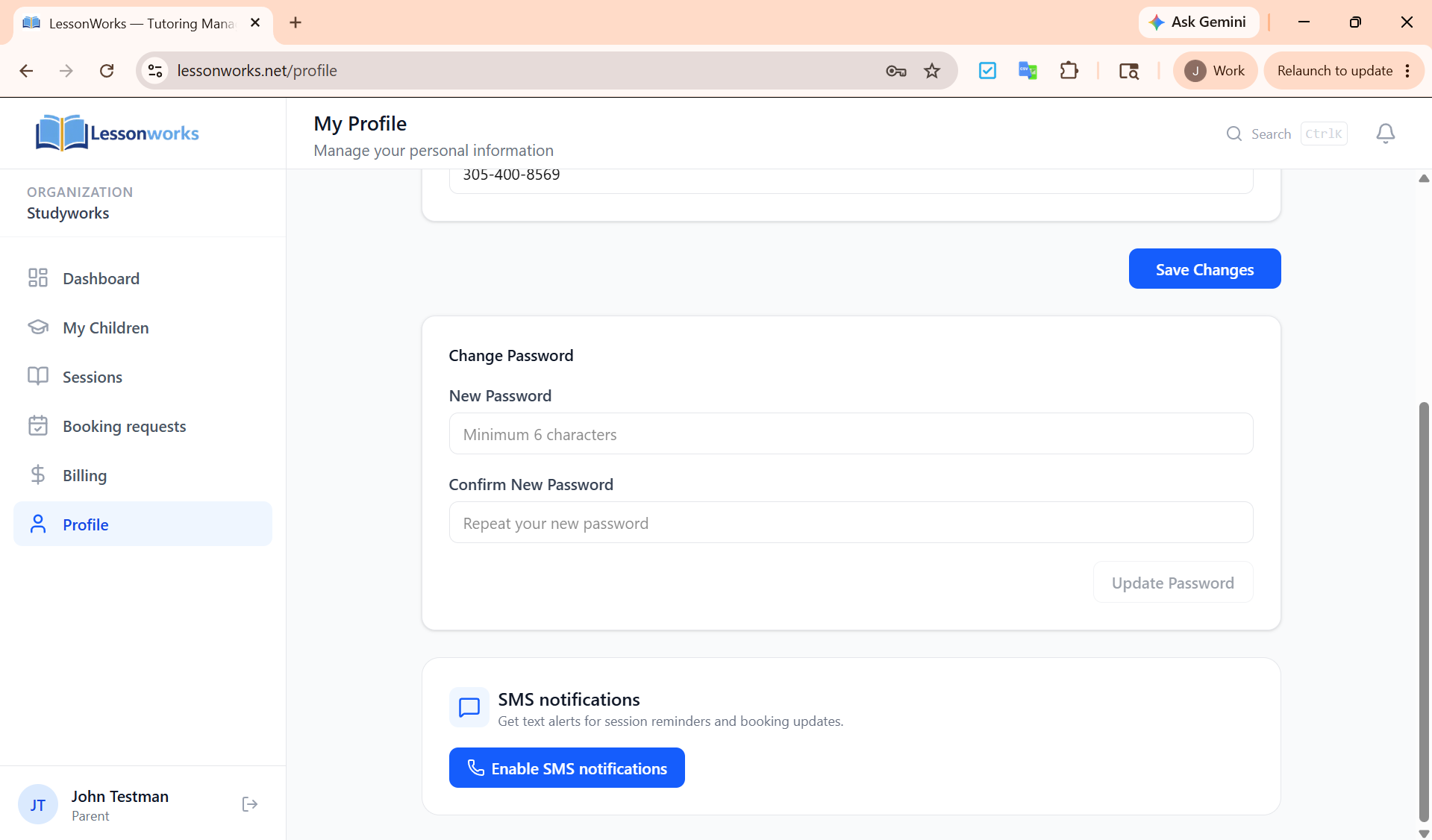
Step 1 — Open the SMS notifications card
From the profile page, the user sees a SMS notifications card describing the program. To begin opting in, the user clicks Enable SMS notifications.
Step 2 — Enter a mobile number and review the disclosures
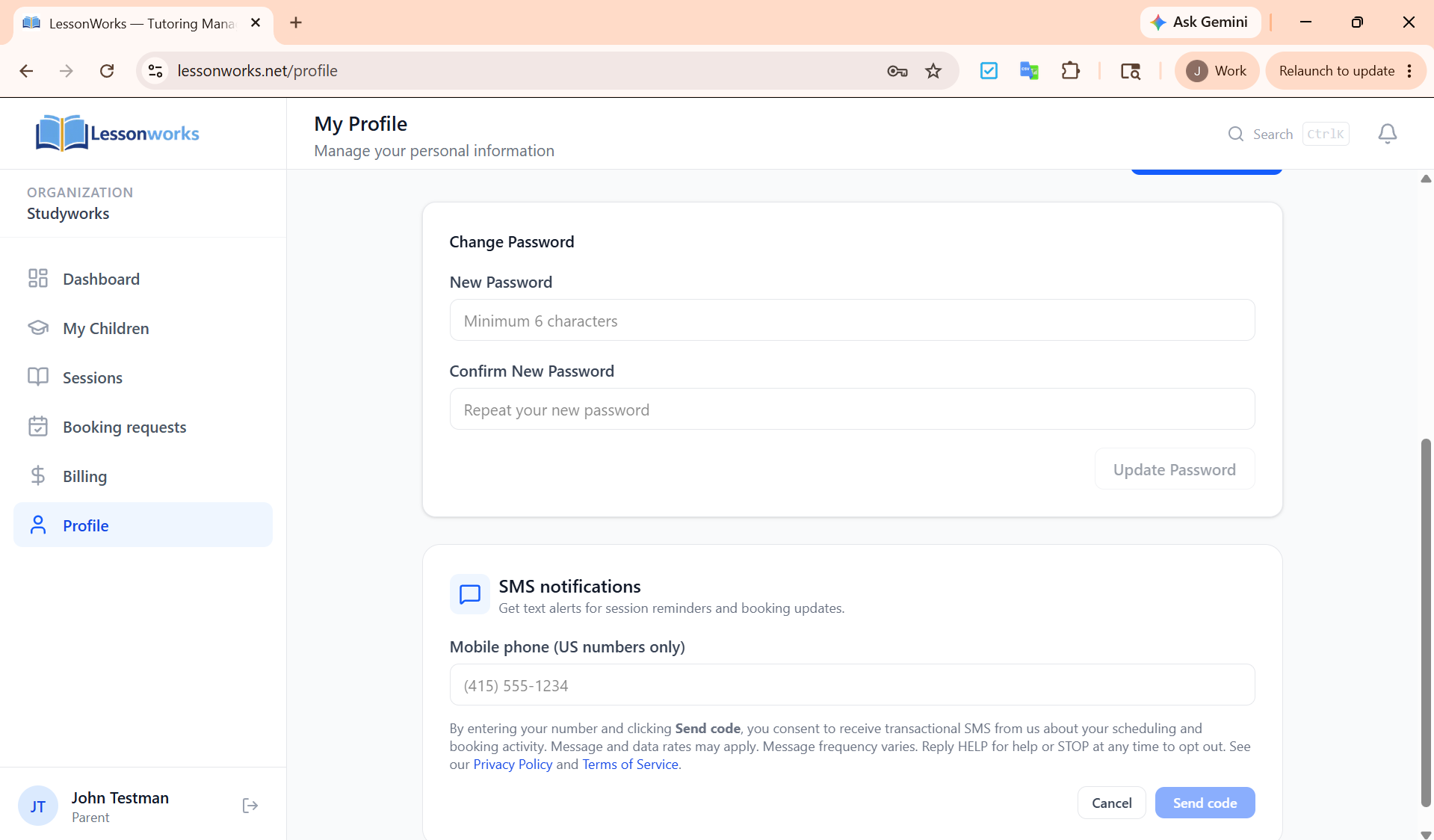
The user is prompted to enter a US mobile number. Directly below the input, before any code is sent, LessonWorks displays the following disclosures, exactly as shown in the screenshot below:
By entering your number and clicking Send code, you consent to receive transactional SMS from us about your scheduling and booking activity. Message and data rates may apply. Message frequency varies. Reply HELP for help or STOP at any time to opt out. See our Privacy Policy and Terms of Service.
The user must click Send code after reading these disclosures. No SMS is sent and no opt-in is recorded unless the user takes this affirmative action.
Step 3 — Verify ownership of the number
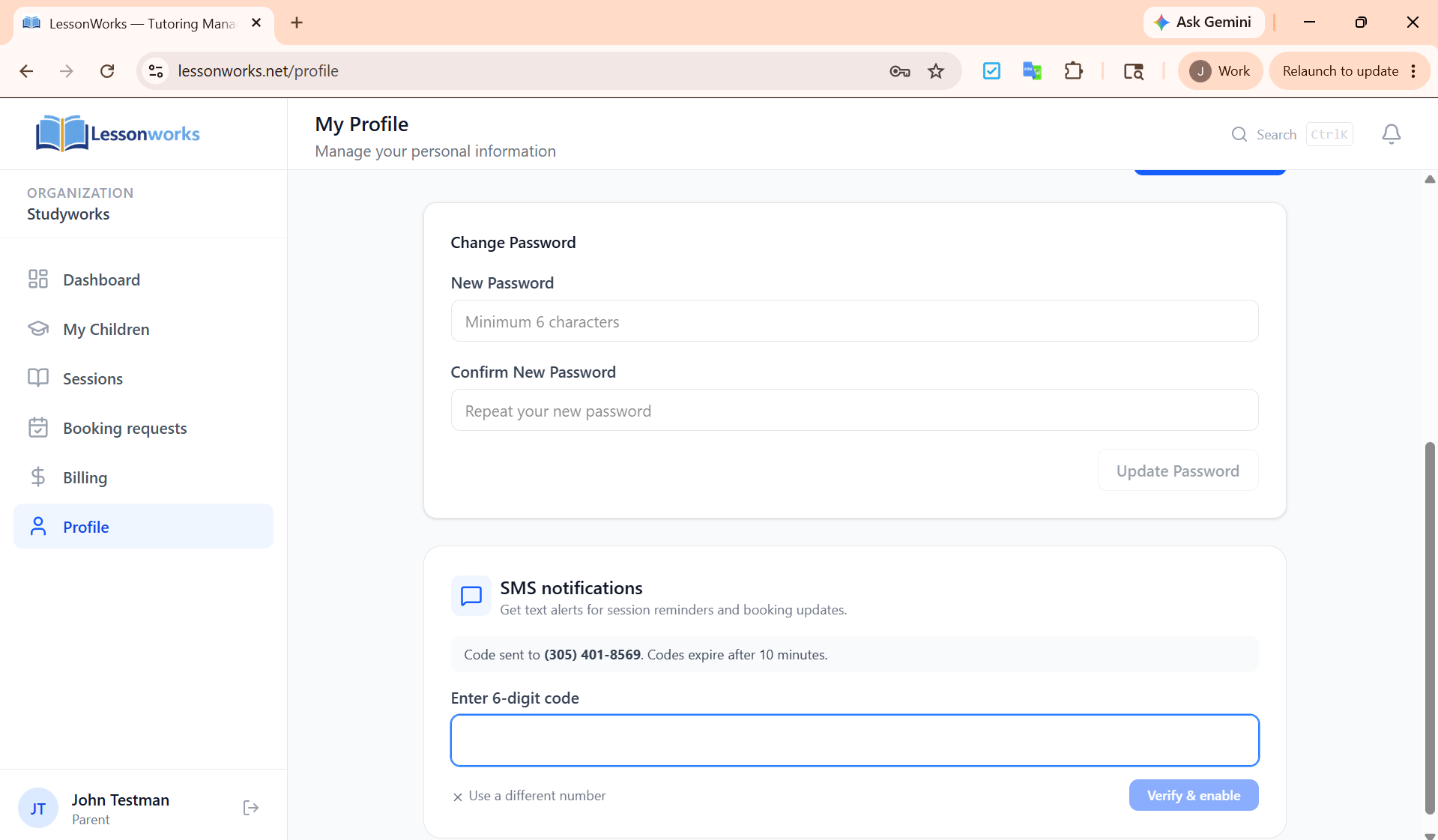
LessonWorks sends a 6-digit verification code via Twilio Verify to the number the user entered. The user must enter that code in the application within 10 minutes and click Verify & enable. Only after the code is verified is the number stored and SMS notifications enabled. This step ensures the person enabling SMS actually controls the mobile number.
Step 4 — Confirmation
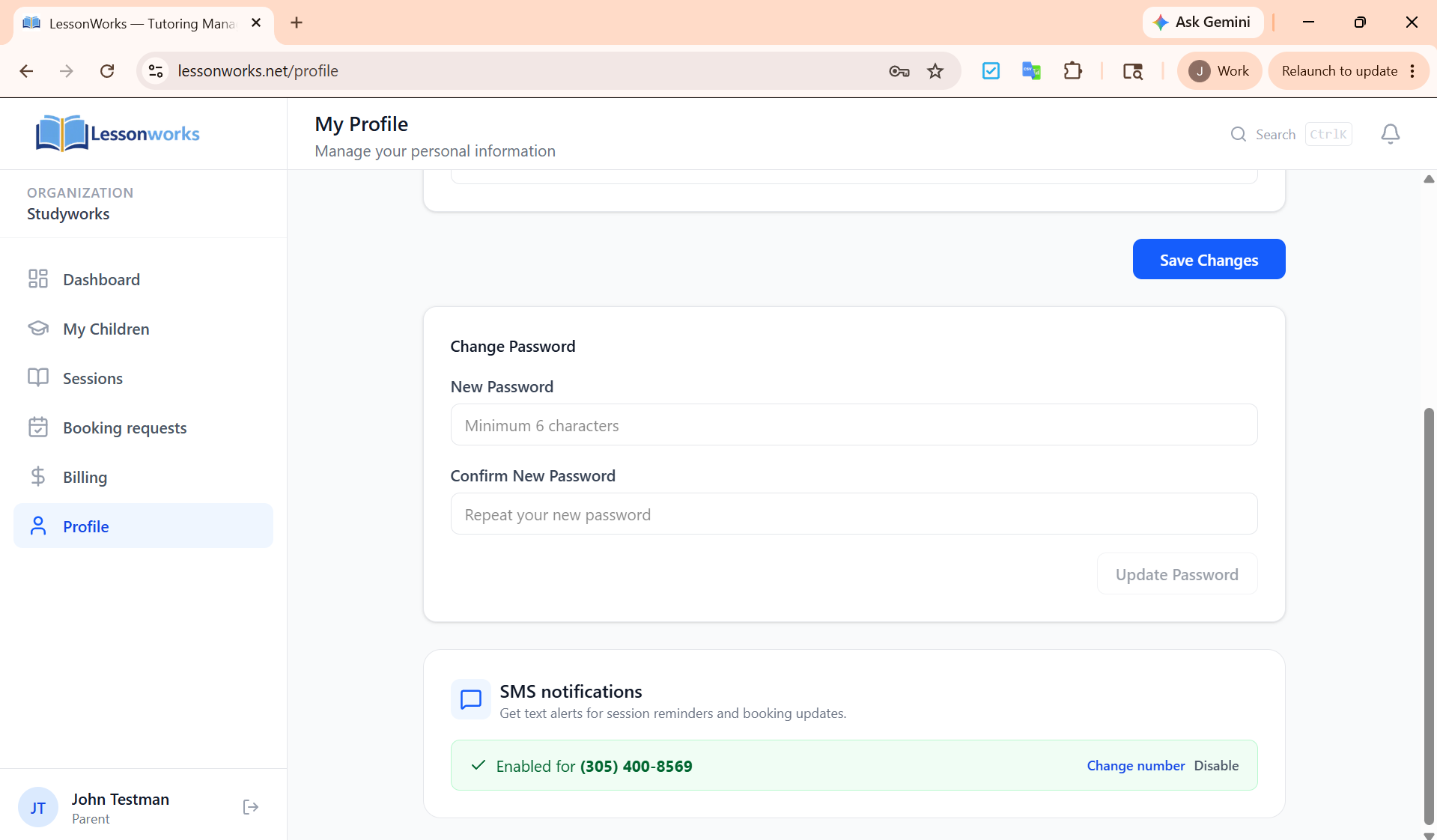
Once verified, the card shows that SMS is enabled for the confirmed number and exposes Change number and Disable controls. The user can revoke consent at any time by clicking Disable here, or by replying STOP to any LessonWorks message.
Required disclosures, summarized
- Privacy Policy: https://lessonworks.net/privacy. States explicitly that mobile information is not shared with third parties or affiliates for marketing or promotional purposes.
- Terms of Service: https://lessonworks.net/terms.
- Message frequency: Varies; typically 1–10 messages per week per user.
- Message and data rates: "Message and data rates may apply" is shown at the point of consent.
- HELP / STOP: Reply HELP for help, STOP to opt out. Both keywords are surfaced at the point of consent and in the program description above.
Sample messages
- LessonWorks: Reminder — your session with Alex is tomorrow at 4:00 PM. Reply STOP to unsubscribe.
- LessonWorks: New booking request from the Smith family for Tue 5/26 at 3:30 PM. Open the app to accept or decline. Reply STOP to unsubscribe.
- LessonWorks: Your session with Mr. Patel on Wed 5/27 at 5:00 PM is confirmed. Reply STOP to unsubscribe.
Contact
Questions about LessonWorks SMS or this consent flow? Email support@lessonworks.net.